
AI in Snowflake - Cortex Functionalities
A brief introduction to Snowflake Cortex and how to use some of their most common LLM functions

I am really sure that you have heard of Snowflake’s Cortex service, and if you’re into Data and AI problably you already know that Cortex offers some LLM functions that you can easily implement in your queries. But before going into the usage of this tool…
What is Snowflake’s Cortex?
Cortex is an intelligent and fully-managed service that provides with AI solutions to Snowflake users. As an end-user or a company, it allows you to run LLMs or build AI-based applications inside Snowflake’s environment. Pretty cool stuff I know!
Cortex offers you the possibility to understand and interact with unstructured data in an intelligent way.
What features are included in Cortex?
Snowflake Cortex AISQL
AISQL extends well-known SQL with new AI features, letting you use these functionalities inside Snowflake through standar SQL syntax
Snowflake Copilot
Pretty intuitive functionality, isn’t it? Snowflake Copilot is a coding colleague that will be available for you during your coding sessions. It will let you get quick responses about your data, explain functionalities and also build queries or functions for you.
Document AI
Document AI is an AI-Based feature (of course!) that lets you build structured date from unstructured data. For example, invoices or handwritten documents.
Cortex Fine-Tuning
With Cortex Fine-Tuning, you can customize a LLM for a specific task. Pretty much like adapting a GPT to your own business or context.
Cortex Search
Cortex Search is a great service (probably my favorite one) to interact with all your data and get answers from it (not only structured data, but also text). You can index your data (tables, documents, etc…) and Snowflake will understand the data and the context. Then, you are ready to query.
Cortex Analyst
Cortex Analyst is a tool that will let you interact with your structure data by using natural language. You can understand it as a text-to-SQL service.
When can I use Cortex?
Well, that is a pretty good question. Cortex can be implemented in many different scenarios, but here you have two cases that I think that are pretty good examples:
Customer Support Automation: Cortex Search and LLMs functionalities can be implemented to create a chatbot that could handle users’ questions in seconds instead of having to wait for an agent to reply.
Reviews Classification for quality detection: Implementing Cortex LLMs to analyze if reviews are positive or negative could be the first step into detecting what products are having a good or bad market acceptance.
Again, these two are just examples that quickly came to my mind, but remember that you can use Snowflake Cortex in many different scenarios and build plenty of AI-based solutions.
So, how can I use Cortex?
As mentioned before, Cortex can be used in a wide variety of cases. But let’s go ahead and use some LLM functions just to play around :)
Snowflake Cortex COMPLETE
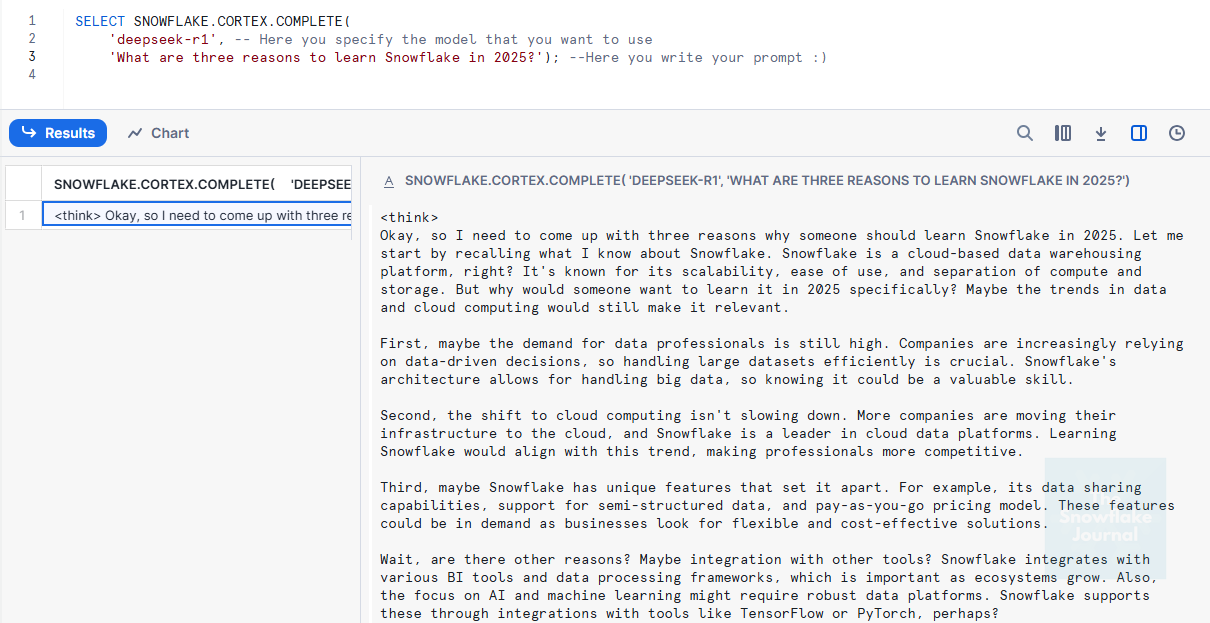
Complete will provide you an answer to the given prompt, here you have an example using deepseek-r1 model
SELECT SNOWFLAKE.CORTEX.COMPLETE( 'deepseek-r1', 'What are three reasons to learn Snowflake in 2025?');
Snowflake Cortex TRANSLATE
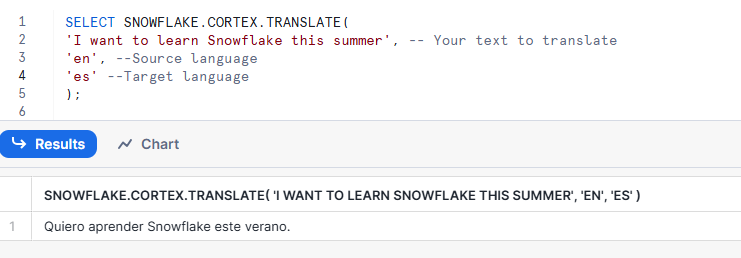
Easy to understand I guess. With Cortex translate you can translate texts from a language to another :)
SELECT SNOWFLAKE.CORTEX.TRANSLATE('I want to learn Snowflake this summer','en', 'es');
Snowflake Cortex SENTIMENT
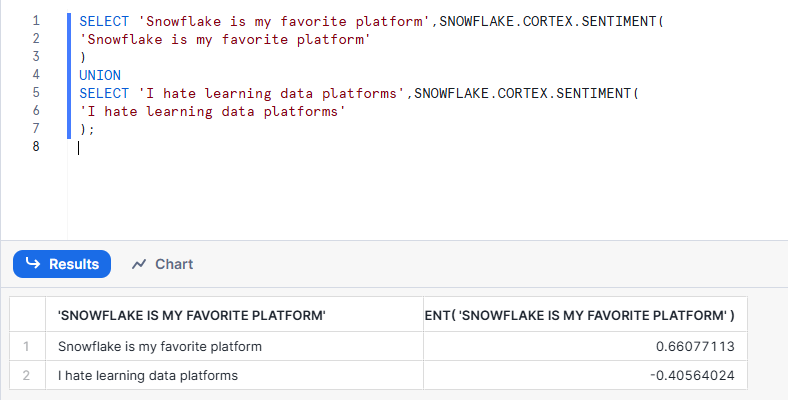
Another easy one. With Sentiment, you can input a sentence in English and get a score between -1 and 1. Where [0.5,1] is positive, (-0.5, 0.5) is neutral, and [-0.5, -1] is negative.
I hope that this has been a pretty interesting post and it helped you to learn a little bit more about Snowflake’s functionalities. Remember to subscribe to learn more about this cool data platform :)